


Your own photo
Each design is made on the photo you upload, so you see it against your own house, fences and space.
AI Garden is an app for iPhone and iPad that turns a photo of your backyard, front yard, patio or balcony into realistic garden designs, so homeowners, renters and gardeners can see layouts and plants on their own space before they buy plants, choose materials or hire a landscaper.
Use it to explore backyard upgrades, patio refreshes, balcony layouts, and front yard improvements with realistic AI-generated concepts built around your actual space.
Rated 3.8/5 from 8 App Store ratings
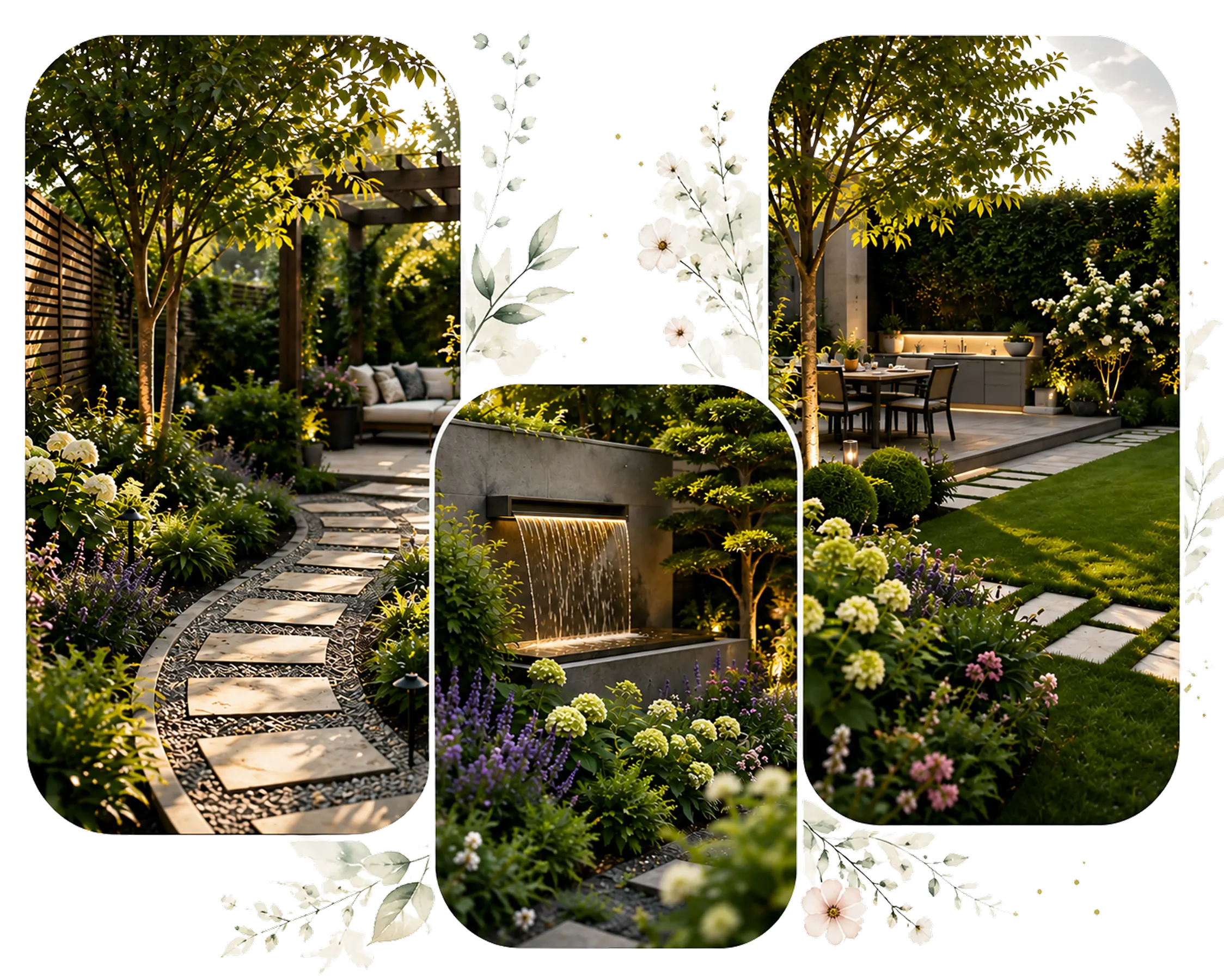
AI-powered garden planning
AI garden design is a digital planning process that uses artificial intelligence to analyze a photo of your yard and generate visual landscaping concepts based on your space, preferred style, and project goals. It shows ideas, not a construction plan, so you can see how the space could look before you buy plants or book a landscaper.
With an AI garden planner, homeowners can explore backyard landscape design, front yard makeovers, patio layouts, plant placement, and hardscape ideas (paths, paving, walls and other built features) before making expensive changes outdoors.
Download free on the App StoreWorks on iPhone, iPad and Mac. If you add a subscription, the App Store shows the price first.
Give the whole yard a new style, clear clutter out of the photo, swap one object for another, add new features, or change the landscaping. Every tool works on a photo of your own space.
You choose a tool, upload a photo of your space, and pick the type of space and a garden style. AI Garden then generates a new design on your own photo. You can compare versions, remove or replace objects, and try other styles before you change anything outside.
Pick a tool on the app's home screen: Garden Design, Remove & Clean, Replace Objects, Add Objects or Landscaping.


Tap the upload box and add a photo of your backyard, front yard, patio or balcony. Photos taken in daylight, with the phone held level and the edges of the space in view, work best.
Tell the app what kind of space the photo shows, such as a backyard, front yard, patio or balcony, and pick a style, such as Formal, Cottage, Coastal, Rock or Chinese. You can also ask for items like a fountain, a bench or a brick path.


AI Garden shows the new design on your own photo. Save the ones you like, try another style, and compare them before you buy plants or book a landscaper.
Plants, paving and a landscaper's time cost money. AI Garden shows ideas on a photo of your own yard, so you can rule out the ones you don't like before you pay for anything.
Each design is made on the photo you upload, so you see it against your own house, fences and space.
Try Formal, Cottage, Coastal, Rock or Chinese garden styles on the same photo.
Add a fountain, a bench, lights or a brick path, or type what you want and where.
See a new planting scheme against your house before you buy plants.
Check a patio, path or fence idea against the rest of the yard.
Save the designs you like to show your family or a landscaper.
Lawns, paths, borders and seating areas, including several before-and-after makeovers, to give you ideas for your own space.


Pick one of the five tools on the home screen, upload a photo, and save the result you like. The rating below is from the US App Store.

AI Garden works on photos of the outdoor spaces around a home. In the app you choose which kind of space the photo shows, such as a backyard, front yard, patio, terrace or balcony.
Try a lawn, a patio, paths, raised beds or new borders behind the house before any work starts.
See shrubs, flower beds, edging or a new path against the front of your house.
Try planters, seating and greenery on a small balcony or terrace before you buy anything.
Change the paving, furniture or planting around a patio and compare the versions.
Take a separate photo of each area, such as the backyard and the front of the house, and choose the matching space type for each one in the app.
Inspiration pictures show other people's gardens, in other light and around other houses. AI Garden puts the ideas on yours.
Instead of saving makeover ideas from other people's gardens, upload a photo of your own space and see a design in the style you choose. Measure before you buy anything: the picture has no dimensions.
Remove & Clean takes clutter and old decor out of the photo, so you can judge the space itself before you decide what to change.
Replace Objects swaps one item for another, such as old furniture for new, so you can try a change without redesigning the whole yard.
AI Garden is a garden design app for iPhone and iPad that also runs on Macs with Apple silicon. It works from a photo of your own backyard, front yard, patio or balcony, and it is free to download from the App Store, with optional in-app subscriptions.
Facts checked on
AI Garden is the right tool when you want to see ideas on your own space before you decide. It isn't the right tool when you need a plan to build from or a price for the work. This is what to use for each job.
| If you want | Use | Why |
|---|---|---|
| To see ideas on a photo of your own yard before you decide | An AI garden design app, such as AI Garden | You can try several styles on your real space and compare them. |
| A measured plan that a contractor can build and price | A landscape designer or landscape architect | They visit, measure, check soil and drainage, and draw the plan to scale. |
| A vegetable bed layout with plant spacing | A grid-based garden planner | It is made for spacing plants in beds, not for picturing the whole yard. |
| An exact 2D or 3D model with real dimensions | Landscape design software | It works to scale from your own measurements. |
| To know what the work will cost | Quotes from local landscapers or suppliers | An AI design doesn't price anything. |
Rated 3.8/5 from 8 App Store ratings
The app works from the photo you give it, so the photo decides a lot. A few habits give it more to work with, and a few checks keep a good-looking picture from turning into an expensive surprise.
Last reviewed
Take it in daylight, on a bright overcast day if you can, from one edge of the space with the phone held level at chest height. Keep the boundaries in the frame, such as fences, walls and the back of the house, and take a separate photo for each area you want to redesign.
A design shows how your space could look, not how to build it. It has no measurements or quantities, it doesn't price anything, it can't see drainage or buried pipes and cables, and the plants in it may not suit your climate. Check those details before you buy materials or dig.
The linked guides and materials calculator are in English.
Short answers about what the app does, what it costs and which devices it runs on. For longer guides, see our blog. If you still need help, you can also contact us.
It's free to download. If you add a subscription, the App Store shows the price first, and you can cancel it at any time under Subscriptions in your device's Settings.
In-app prices on the US App Store, as of November 12, 2026: Weekly $5.99 · Starter $8.99 · Creator $14.99 · Yearly Discount $14.99 · Yearly $29.99 · Studio $39.99.
Rated 3.8/5 from 8 App Store ratings

Questions about the AI Garden app, your account or a subscription? Send us a message with the form, or email us.
Office #112, 2nd Floor Kohinoor Plaza 1, Faisalabad, Punjab, Pakistan